Cloud Migration Strategy: How to Move Enterprise Workloads Without Disrupting the Business That Depends on Them
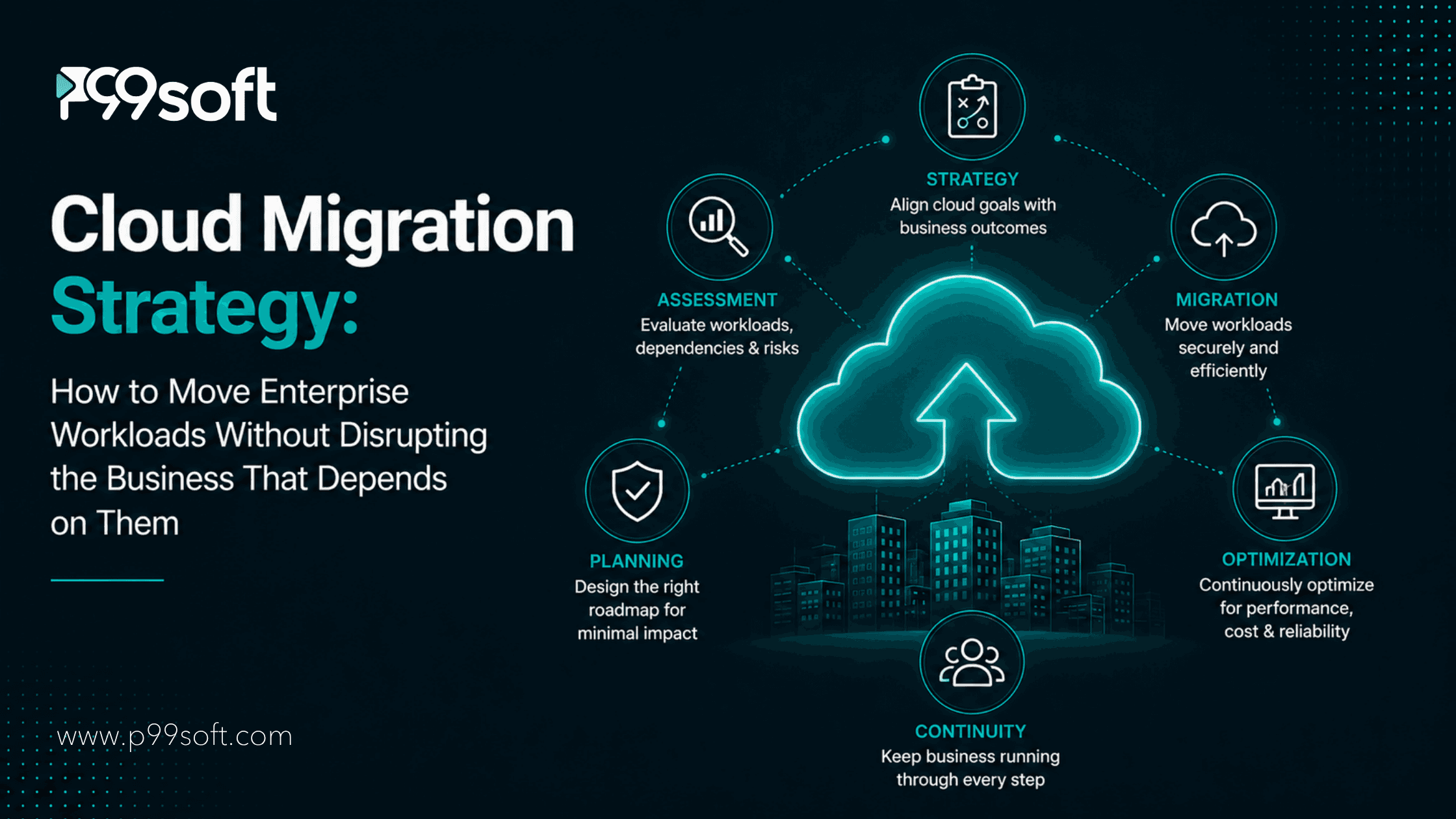
A cloud migration strategy that keeps the business running during the migration requires five things done in the right sequence: a workload inventory and tier classification before any infrastructure decisions are made, a migration approach selected per workload based on its architecture and business criticality, a parallel running period where legacy and cloud environments operate simultaneously until the migrated workload is validated, testing gates at every phase rather than only at the end, and a rollback plan that has been tested before the production cutover happens
94% of enterprises use at least one cloud service in 2026. Yet 38% of migration projects still exceed their original budget and 31% miss their planned timeline.
Organizations spend on average 14% more on migration than planned and 38% of migrations are delayed by more than a quarter, driven by complexity, poor planning, and skills gaps.
The cloud infrastructure is not what fails. The planning is.
Despite more than a decade of cloud adoption, billions in consulting spend, and mature tooling ecosystems, organizations continue to struggle with migration initiatives. The greatest barriers are no longer technical limitations but misaligned incentives, underestimated cultural shifts, architectural shortcuts, and financial blind spots embedded deep within modern enterprise strategy.
The organizations that execute cloud migrations without disrupting the business they depend on are not the ones with the most sophisticated tools or the most experienced cloud engineers. They are the ones that treated migration planning with the same rigor they apply to any other program that touches production systems. They classified workloads before moving them. They selected migration approaches based on architectural reality rather than budget preference. They validated in staging before cutting over in production. And they built rollback plans that had been tested rather than documented.
This article covers the strategy framework that produces those outcomes.
Why Cloud Migration Disrupts Businesses That Were Not Planning for It
Business disruption during cloud migration is almost always traceable to one of three planning failures rather than to unexpected technical complexity.
Workloads were not classified before migration began. The Uptime Institute's 2025 enterprise infrastructure survey revealed that 38% of failed migration projects encountered unanticipated dependency conflicts during testing phases. Those dependency conflicts were not unanticipatable. They were undiscovered because the pre-migration inventory did not map the dependencies between the workloads being migrated and the systems that depended on them. A workload that appears to be an independent service when described in a product backlog may have 14 runtime dependencies on other services, a shared database schema with three other applications, and a background job that writes to a shared file system. Discovering these dependencies during migration rather than before it turns a planned migration into an incident.
The migration approach was selected based on timeline and budget rather than workload characteristics. Lift-and-shift remains the most common migration approach, accounting for over a third of activity in 2025. But refactoring and re-architecting applications for cloud-native environments are gaining serious momentum. Lift-and-shift is the right approach for workloads that are portable, have predictable resource requirements, and do not depend on on-premise-specific infrastructure features. It is the wrong approach for workloads with hard-coded IP addresses, local filesystem dependencies, Windows-specific authentication, or database features that the target cloud database service does not support. Applying lift-and-shift to these workloads produces migrations that complete on schedule and fail in production.
Cutover was treated as a single event rather than a graduated process. Modern cloud migration solutions now emphasize phased migrations, parallel environments, and controlled cutover strategies. These approaches allow enterprises to migrate workloads with minimal disruption while maintaining business continuity. A cutover that moves all traffic from the legacy system to the cloud system simultaneously on a defined date is a single point of failure. If anything goes wrong after that cutover, the rollback is itself a migration in reverse, executed under incident conditions. A graduated cutover that moves traffic in percentages, validates at each percentage, and completes only when every health check is satisfied converts the single failure point into a series of small, recoverable decisions.
Cloud migration disruption is predictable from planning decisions made in the first four weeks of a program. Workload inventory completeness, migration approach selection rigor, and cutover strategy design together determine whether the migration is an operational event or a business incident.
The Five Migration Approaches and When Each One Applies
While rehost remains common, refactor and replatform shares are increasing to unlock elasticity and cost.
The five migration approaches, commonly called the 5Rs, represent a spectrum from minimal change to fundamental reconstruction. Selecting the right approach for each workload is the decision that most determines both the migration timeline and the long-term operational cost of the migrated workload.
Rehost (Lift and Shift): Move the workload to cloud infrastructure with no changes to the application code, the database schema, or the application architecture. The workload runs on cloud virtual machines the same way it ran on on-premise servers. This approach is fastest and lowest-risk for workloads that are genuinely portable. It produces the lowest long-term benefit for workloads that have architectural characteristics that cloud-native approaches would address. Organizations that rehost everything report lower than expected cost savings because the workload still behaves like an on-premise application, consuming resources at on-premise utilization patterns rather than cloud-native elastic patterns.
Replatform (Lift, Tinker, and Shift): Move the workload to cloud infrastructure with targeted changes that allow it to take advantage of cloud-managed services without requiring a full architectural redesign. Migrating from a self-managed database server to a cloud-managed database service, or from a self-managed application server to a container-based deployment, are replatform approaches. The application code changes minimally or not at all. The operational model changes significantly: the cloud provider manages the underlying infrastructure that the organization previously managed itself.
Refactor (Re-architect): Redesign the application to use cloud-native architecture patterns, typically breaking a monolithic application into microservices, adopting serverless compute for appropriate workloads, or redesigning the data layer to use cloud-native storage and processing services. This approach requires the most engineering investment and produces the highest long-term operational return. It is the appropriate approach for workloads that are currently constrained by their architecture and that represent significant business investment worth optimizing.
Retire: Decommission workloads that are no longer needed. A migration inventory consistently reveals applications that have not been actively used for months or years, services that were created for projects that ended, and systems that were replaced by newer solutions but never turned off. Retiring these workloads reduces migration scope, reduces cloud spend, and reduces the operational complexity of the migrated environment.
Retain: Leave certain workloads on-premise for the time being. Workloads with genuine cloud migration blockers, deep dependencies on on-premise hardware, regulatory requirements that the target cloud environment cannot satisfy, or migration complexity that exceeds the near-term benefit should be retained rather than migrated on a timeline that forces risky shortcuts. Retain is a legitimate strategy, not a deferral of a decision that has already been made.
Most enterprises migrate in waves: assess, pilot, migrate priority groups, stabilize, optimize. Data platforms, lakehouses, and pipelines frequently move first to unblock application modernization. Disaster recovery and business continuity are frequent early use cases to prove reliability gains.
P99Soft's Cloud and Data Migration practice applies this five-approach framework at the workload level rather than the program level. The migration approach for each workload is determined by its architecture, its dependencies, its business criticality, and its long-term optimization potential. The program then sequences workloads into migration waves based on the selected approach, with workloads sharing the same approach and similar dependency profiles grouped into the same wave.
The Pre-Migration Inventory That Determines Everything Else
The most valuable work in any cloud migration program happens before a single workload moves. The pre-migration inventory and the tier classification that follows it are the foundation on which every subsequent decision rests.
The inventory has four components that together produce the complete picture of what needs to move, in what sequence, and with what dependencies.
Application inventory. A complete list of every application, service, and system in scope for the migration. Not the list that exists in the CMDB, which is almost never complete. The list produced by discovering what is actually running in the production environment through a combination of infrastructure scanning and stakeholder interviews. The delta between the CMDB and the discovered inventory is where the dependency surprises come from.
Dependency mapping. For each application in the inventory, a documented map of its runtime dependencies: which databases it connects to, which other services it calls, which shared file systems or message queues it uses, which authentication systems it depends on, and which downstream systems depend on it. Dependencies that run in both directions are the most common source of migration sequencing problems: migrating service A before service B when B calls A and A depends on B requires a specific cutover sequence that is only discoverable from the dependency map.
Business criticality classification. Every application in the inventory assigned to one of three tiers based on the business impact of an outage. Tier 1 applications have immediate, severe business impact if unavailable: customer-facing transaction systems, core financial platforms, compliance-critical data stores. Tier 2 applications have significant but manageable impact from outages measured in hours. Tier 3 applications are internal tools and batch processes where an extended outage is inconvenient but not business-critical. This classification determines the level of testing, validation, and risk management applied to each workload's migration.
Technical complexity assessment. Each application assessed for migration complexity: portability of the current architecture to the target cloud environment, dependencies on on-premise-specific capabilities, data migration complexity, and the engineering effort required for the selected migration approach. The combination of business criticality and technical complexity produces the migration sequencing matrix: high-criticality, low-complexity workloads migrate in early waves to establish confidence and demonstrate business value; high-criticality, high-complexity workloads migrate in later waves after the team has built operational confidence and resolved the platform-specific issues that only appear in production.
The Advisory and Consulting engagement that precedes the migration program is where this inventory work belongs. Organizations that begin migration execution without a complete inventory consistently discover the gaps when they are most disruptive to address.
The Wave-Based Migration Structure That Prevents Disruption
A typical enterprise wave takes about eight months end-to-end, from assessment to stabilization. Wave-based execution is how most enterprises migrate: assess, pilot, migrate priority groups, stabilize, optimize.
Wave-based migration divides the full workload inventory into sequential groups, each of which is fully migrated and stabilized before the next wave begins. The structure provides three specific operational benefits that flat migration programs do not.
Each wave validates the migration approach before the next wave applies it at larger scale. Problems with the target environment, the cutover procedure, or the monitoring and observability setup discovered in wave one are resolved before wave two begins. The early waves are deliberately smaller than later waves for exactly this reason: the learning cost of a small wave is significantly lower than the learning cost of a large wave.
Business-critical workloads migrate after the team has earned the operational experience to manage them. Wave one typically consists of Tier 2 and Tier 3 workloads with straightforward architectures and limited business impact if something goes wrong. By the time Tier 1 production systems move, the migration team has executed the process successfully multiple times, the monitoring infrastructure is proven, and the rollback procedure has been tested under real conditions.
The business can absorb migration activity at a manageable rate. A migration program that moves all workloads in a single large wave requires the business to manage simultaneous changes across every system, simultaneous testing across every workload, and simultaneous risk across the full production environment. Wave-based migration distributes this across a program duration that allows the business to validate each wave before the next begins.
The Parallel Running Period That Makes Cutover Safe
The parallel running period, where the legacy system and the migrated cloud system operate simultaneously with the legacy system still serving production traffic, is the operational safety net that distinguishes migrations that are comfortable to execute from migrations that require executive sign-off to proceed.
During parallel running, the migrated system receives shadow traffic or test traffic that replicates production load patterns. The team validates that the migrated system produces the same outputs as the legacy system for the same inputs, handles the same peak load without degrading, and recovers correctly from the failure scenarios most likely to occur in the target environment. The parallel period also gives the operations team time to build familiarity with the cloud environment's monitoring, alerting, and troubleshooting tools before they are the only tools available.
Phased migrations, parallel environments, and controlled cutover strategies allow enterprises to migrate workloads with minimal disruption while maintaining business continuity.
The duration of the parallel period should match the business criticality of the workload. Tier 3 workloads with simple architectures may need two weeks of parallel running. Tier 1 workloads with complex processing patterns may need six to eight weeks to expose the full range of edge cases that appear in normal production operation. A parallel period that ends before the team has observed the workload under all the conditions it will encounter in production is a parallel period that was too short.
The cutover from the legacy system to the cloud system should be graduated rather than instantaneous. Moving 5% of traffic to the cloud system, validating for 24 hours, moving to 20%, validating again, and completing the migration only when every health metric is within expected ranges converts a single risky event into a series of low-stakes decisions. At any point before 100% cutover, redirecting traffic back to the legacy system is a configuration change rather than an emergency response.
Data Migration: The Component That Determines Whether the Program Succeeds
Data platforms, lakehouses, and pipelines frequently move first to unblock application modernization.
Data migration deserves specific attention within the broader cloud migration strategy because it has characteristics that application migration does not. Data does not have a rollback in the same way an application does. If application data is corrupted during migration and the corruption is not discovered until weeks after cutover, recovering it may require restoring from a backup that is itself weeks old, with all the data created in the intervening period requiring manual reconciliation.
Three specific data migration risks drive the majority of post-migration data incidents.
Schema incompatibility between source and target databases. Many cloud-managed database services do not support every feature of the self-managed databases they are intended to replace. Stored procedures that use vendor-specific syntax, foreign key constraints that the target service enforces differently, and character encoding differences between the source and target databases all produce migration failures that only surface when the migrated application attempts to use the database. Schema compatibility assessment before migration execution is the prevention.
Transaction cutover timing. The moment at which write operations switch from the legacy database to the migrated cloud database is the highest-risk point in the data migration. If the switch happens before all in-flight transactions from the legacy system have completed and been replicated to the cloud database, data created in the gap between the last successful replication and the cutover event is permanently lost. Continuous replication that keeps the cloud database within seconds of the legacy database throughout the parallel period, combined with a write-quiesce period immediately before cutover, eliminates this gap.
Post-migration data validation. The migration completed. The database is in the cloud. Is the data correct? Row count comparisons that confirm the same number of records exist in both systems are necessary but not sufficient. Data validation should compare representative samples of records at the field level, execute the application's most complex query patterns against the migrated database and compare results to the legacy database, and run the application's full regression test suite against the migrated data before production traffic is directed to the cloud system.
P99Soft's Cloud and Data Migration practice treats data migration as a parallel program workstream rather than a step within the application migration program. The data migration plan covers schema compatibility assessment, replication setup and monitoring, validation framework design, and the cutover sequencing that prevents the transaction gap problem. For organizations with analytics platforms that depend on the migrated data, the Analytics and Insights work connects to the data migration program at the point where the migrated data layer needs to support the reporting and analytics requirements the business depends on.
Security and Compliance in the Migration Strategy
Gartner forecasts sovereign cloud infrastructure spending will hit $80 billion in 2026, up more than 35% year over year. As geopolitical tensions rise and data sovereignty regulations tighten, governments and regulated industries are prioritizing digital independence and in-country data control.
Security and compliance requirements that were met by on-premise infrastructure need to be explicitly re-addressed for the cloud environment. The compliance posture that satisfied an auditor for the legacy system does not transfer automatically to the cloud system, because the controls that produced the compliance evidence in the legacy environment are different from the controls that produce equivalent evidence in the cloud environment.
Three compliance considerations that most migration strategies address late rather than early are:
Data residency and sovereignty. Data that must remain within specific geographic boundaries in the legacy environment must be confirmed to remain within those boundaries in the cloud environment. The cloud provider's regional availability zones provide geographic data residency guarantees, but the application's data handling patterns must be validated against those guarantees rather than assumed to comply.
Identity and access control. The IAM (Identity and Access Management) model in the cloud environment is different from the directory services model in most on-premise environments. Every access control policy that existed in the legacy environment needs a cloud-native equivalent, and the translation is rarely direct. Access control gaps that appear during or after migration are among the most common sources of cloud security incidents.
Encryption and key management. Data that was encrypted at rest in the legacy environment using on-premise key management must be re-encrypted in the cloud environment using a key management approach that satisfies the same regulatory requirements. Customer-managed keys that satisfy PCI DSS or HIPAA requirements need to be provisioned before data migration begins, not after.
The Managed Support Services engagement model covers the post-migration security posture validation and ongoing compliance monitoring that ensures the migrated environment maintains the compliance standard it achieved at the completion of the migration program rather than drifting from it as the cloud environment evolves.
The Post-Migration Optimization That Captures the Projected ROI
67% of organizations that repatriated workloads say they would have stayed in cloud with better cost optimization upfront. The top reason for repatriation is cost at 54%, followed by performance requirements at 31%.
Those repatriation numbers reflect a specific failure mode: organizations that migrated workloads to cloud, did not perform post-migration optimization, and discovered that running on-premise workload patterns in a cloud environment at full resource allocation costs more than the on-premise alternative.
Cloud infrastructure delivers its cost benefits through right-sizing, reserved instance commitments, and the operational model changes that remove the on-premise overhead from the cost structure. None of these happen automatically at migration completion. They require a deliberate optimization program that runs for three to six months after the migration wave stabilizes.
Well-architected cloud platforms are achieving payback periods of under six months for organizations that follow structured optimization post-migration.
Right-sizing requires monitoring actual resource utilization for four to six weeks after migration and resizing instances to match observed rather than provisioned requirements. Reserved instance and savings plan commitments require a stable utilization baseline to commit against responsibly. And the operational overhead reduction that cloud infrastructure enables, the engineering time previously spent on hardware maintenance, patch management, and capacity planning, requires deliberate process change to be reallocated to higher-value work.
The Advisory and Consulting practice connects to the post-migration period through the FinOps governance framework that captures the optimization benefit the migration program projected. The business case that justified the migration had a projected cost savings figure. The post-migration optimization program is what makes that figure real rather than theoretical.
FAQ
What is a cloud migration strategy and why do enterprise organizations need one?
A cloud migration strategy is a documented plan that defines which workloads will move to cloud infrastructure, in what sequence, using which migration approach for each workload, and with what testing and validation requirements at each phase. Enterprise organizations need one because cloud migration without a strategy produces the outcome that 38% of enterprise migration projects experience: cost overruns averaging 14% above plan and timeline delays affecting more than a third of programs. A strategy that classifies workloads, selects migration approaches based on architectural reality, structures migration in waves, and defines validation gates at every phase is what separates migrations that keep the business running from migrations that disrupt it.
What are the five cloud migration approaches and when should each be used?
The five approaches are rehost, replatform, refactor, retire, and retain. Rehost moves workloads to cloud VMs with no application changes, suitable for portable workloads without cloud-blocking architectural characteristics. Replatform makes targeted changes to use cloud-managed services without full redesign, suitable for workloads that benefit from managed database or compute services. Refactor redesigns the application for cloud-native architecture, suitable for high-value workloads currently constrained by their architecture. Retire decommissions unused workloads discovered during the inventory. Retain leaves workloads on-premise where migration complexity or regulatory blockers make near-term migration inadvisable. Most enterprise migrations use all five approaches applied to different workloads rather than a single approach for all.
How do you migrate to the cloud without disrupting the business?
Migrating without business disruption requires four specific practices. Complete workload inventory and dependency mapping before migration begins, so dependency conflicts are discovered during planning rather than in production. Migration approach selection per workload based on its architectural characteristics rather than program timeline preferences. A parallel running period where the migrated system is validated under production-equivalent load while the legacy system continues to serve production traffic. And a graduated cutover that moves traffic in percentages with validation at each step rather than a single cutover event that requires a full rollback if anything goes wrong.
How long does an enterprise cloud migration typically take?
A typical enterprise migration wave takes approximately eight months end-to-end from assessment through stabilization. Full enterprise programs spanning multiple waves typically run 12 to 24 months depending on workload count, architectural complexity, and the migration approaches applied to each workload. Programs that attempt to compress this timeline by skipping the pre-migration inventory, shortening the parallel running period, or batching multiple high-complexity workloads into a single wave consistently experience the cost overruns and timeline delays that affect 38% of enterprise migration programs. The eight-month wave timeline reflects the work required to migrate, validate, and stabilize responsibly, not a conservative estimate that can be shortened with more resources.
Author Name - Mrunalini Wankhede